
1·
3 days agoThe new style don’t put the menubar (Alt) into the navbar, there is no possible?
The new style don’t put the menubar (Alt) into the navbar, there is no possible?
thanks, I will try that v2.
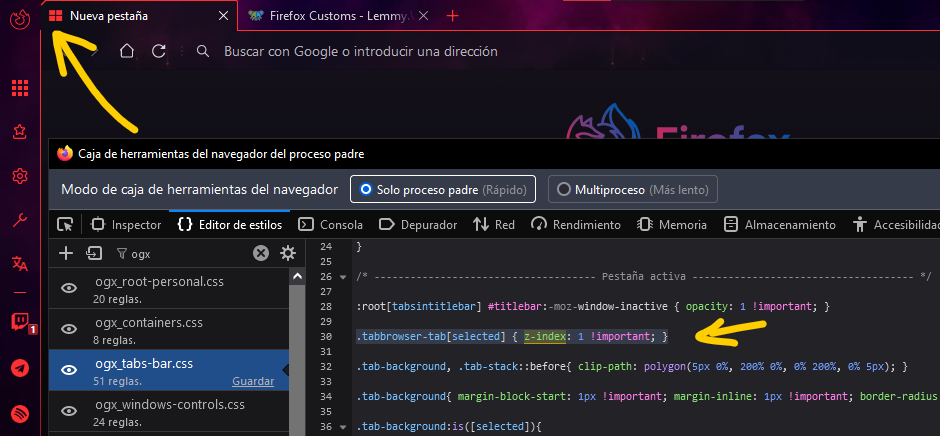
ooooh, I wonder if I give a higher zindex to all the navigator-toolbox it could cause random problems but I will try.
Edit: Sadly changing the z-index to all navigator-toolbox cause other issues in my theme and I should change a lot of code, hate this Firefox change jeje.
Edit2: I tried this code and seems to work in some cases, I wonder what damage this could cause but the time will say:
#navigator-toolbox{
        z-index: unset !important;
    }
I’ll try it, hope works fine, ty. 💜
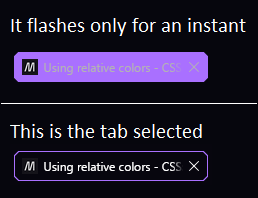
@MrOtherGuy@lemmy.world I’m gonna need your help again, sorry. I used your code to gradient border around selected tab and works fine but I see a little flash in certain situations that makes me nuts; this is the code:
.tabbrowser-tab[selected] > .tab-stack::before{
    content: "";
    display: flex;
    min-height: inherit;
    border-radius: var(--tab-border-radius);
    grid-area: 1/1;
    margin-block: var(--tab-block-margin);
  /* Edit gradient colors here */
    background: var(--general-color) !important;
    border-radius: 0px 2px 0px 0px !important;
}
When I click to select the tab, sometimes the tab is first colored with the border color and then it displays correctly, Here is a SS with the problem, there is a way to delay the colored after the tab is completely charged or some trick?
Information that heals, thanks for all. 💙
ooh, I notice a rare behavior when use this in horizontal tabs, so the issue is that min-max width cause problems, I understand.
/* Horizontal tab size */

.tabbrowser-tab[fadein]:not([style^="max-width"]) {
    max-width: 200px !important;
}
in Vertical tabs I noticed that the property of the tab that don’t close has fadein property, I tried this code to delete that empty space, but visually works but in the background the tab is still stuck.
/* Important! bug fix for tabs that keep space after close them */

    .tabbrowser-tab {
        &:not([pinned], [fadein]) {
            visibility: collapse !important;
        }
    }
@MrOtherGuy@lemmy.world hi, I wanted to bother you with another question, If you use the new feature of Vertical-tabs you maybe notice that if you have the Sidebar expanded the tabs is like they stuck in some way, I’ll show you this with new-tab pages but is the same with webpages: https://imgur.com/a/BbECuIp
I think this is not a behavior caused by a CSS or it is possible?
toggle: devtools.debugger.prompt-connection
Thanks, this open a lot of possibilities. 🖤
I updated the code and check the rest of my code and all is good now, sorry for the lost time.
I will check again…
💙I saw you updated the style, thanks.
thanks for the explanation but I can’t get it to work. you said :root but I don’t understand how, I saw a div called root inside body element, I tried too apply to html jeje I don’t know, maybe I should start to love the scroll.
ooh, thanks for the explanation, I’m sure I understand better how this works. 💙
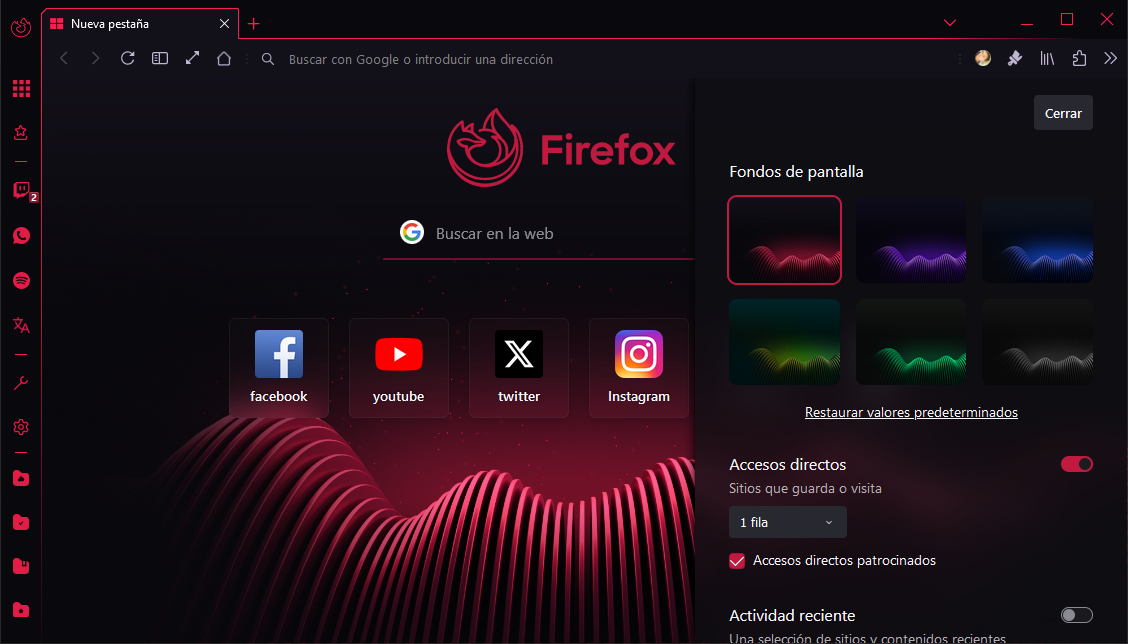
thanks for the answer, I searched where the variable is used and added !important and that fixed, I don’t know why but all right jeje:
body{
    background-image: var(--newtab-wallpaper-dark, "") !important;
    ...




Ty, I’ll do that.