

3·
4 months ago@33550336 Thanks! I’m still figuring some things out as I go but it’s just some habits I don’t have!
💻 #Opensource #developer!
🦊 #Furry #Fox
🇨🇵 #French
🖼️ Profile picture by @xanthe
🤔 I can’t think of any other bullet points
@33550336 Thanks! I’m still figuring some things out as I go but it’s just some habits I don’t have!
@FreddiesLantern Aside from the hiccups I mentionned, it works great! I was surprised my backlit keyboard even works, but I think that’s managed by my bios.
I’ll keep on using it, but I’m trying to document my struggles because if Linux is aiming to be a good alternative to Windows computers getting to end of life, then some set up wouldn’t be done by most people and just assume it’s broken and maybe switch back to Windows where it “Just works”.
Maybe this can help with the onboarding experience!
@EtnaAtsume Mint install or not, you should regularly back up your data in an external drive!
Yes, installing mint on the Windows partition deletes Windows and all your files so make a backup or put them on another partition!
But without deleting your data, you can always boot from an USB stick and try thingd around in this environnement!
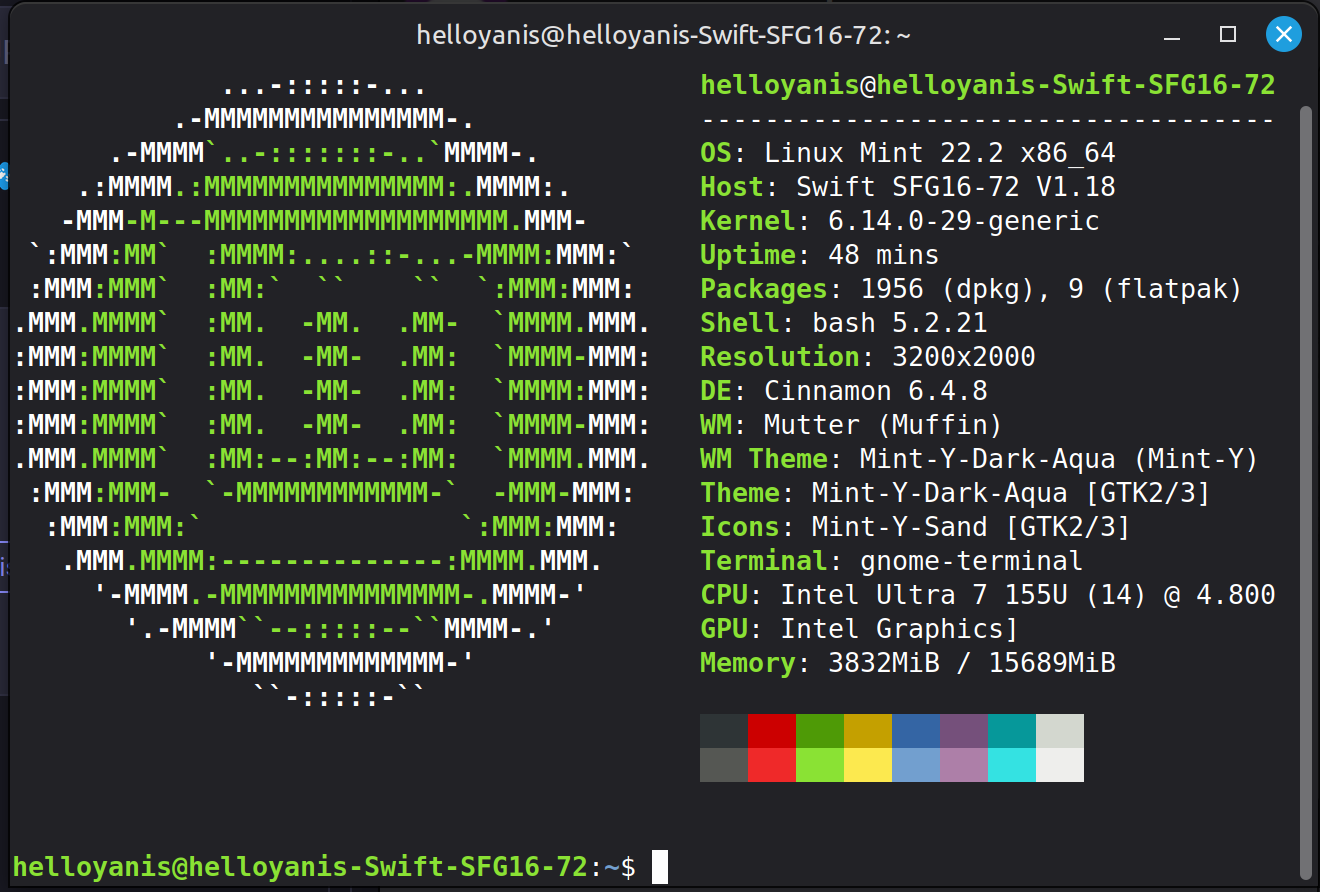
@cupcakezealot It’s
neofetch
Try it! :blobcathug:
@Creat My laptop is weird, because it has a media key for screenshoting an area (which is basically a key that doed Windows Shift S which isn’t recognized by default on Mint), and a print screen key which works fine. And to screenshot an area, on Mint it’s ctrl+print screen
@Nyadia Figured it out and it worked! Strange that this isn’t the default.
@scott It’s a mastodon post, lemmy federates it and takes the start of the post as a title. Can’t do much about that :blobcatcoffee:
@cmnybo I figured it out, but I think it’s still not very intuitive when you’re used to it working by default!
@eatCasserole I have found a software called Diodon, and seems to work fine!
You need to set a custom shortcut in your settings but besides that it does the job
@hard_zero1 Thanks so much! It worked! :blobcatheart:
@First_Thunder Is there any way to disable that?

@herseycokguzelolacak Just like how clicking any web links (be it from the shitty widgets menu or from windows search) that open the browser, open as edge:// links which force opening on Microsoft Edge even if it’s not your default browser. This sucks but at least I can uninstall Edge easily from the settings (maybe because I am in the EU)
Seriously considering switching to Linux lately!
@muusemuuse There are many comment but only a few links so check it out :
For PC, yt-dlp is by far the best ( https://github.com/yt-dlp/yt-dlp)
There are many wrapper/UIs you can install, like https://github.com/yt-dlp/yt-dlp.
For Android, I’ve seen people mention NewPipe https://github.com/TeamNewPipe/NewPipe
But personally I think Seal is the best as it allows to download entire playlists. https://github.com/JunkFood02/Seal